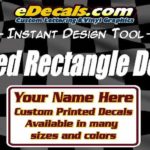
Oval Sticker Designer Instructions:
|
| 1. Choose A Decal Style
Choose a style of decal you wish to make. All of these styles can be made in all the colors listed. |
| 2. Select a Size/Quantity
From the drop down list provided, select a size and kit quantity for your decals |
| 3. Enter Your Text
Click on the top example text line, then change the text to your wording using the text entry box. Repeat the process for each line. To add a new line click on an area away from the lines of text then enter the text in the text box and hit 'add text line'. To delete a line of text hit the small red square at the top left corner of the line of text, or hit reset on the bottom left to start the entire designer again. |
| 4. Choose A Font/Typestyle
Pick a style of writing using the drop down menu provided to instantly see your text in that style. View All Available Fonts |
| 5. Choose A Base and Lettering Color
Pick the base color from the drop down menu provided. Then choose a lettering color. View All. |
| 6. Enter Your Email Address
In order to save your design, we email you a copy before we make it. This ensures you get exactly what you paid for. PLEASE NOTE: We do not sell, rent or trade any personal information. Privacy |
| 7. Comments - Optional
Optional comment box allows you to enter any special requests you may have. |
|